MindFirst for iPhone, iPad, and Apple Watch

Fitness starts in your head.

Most trackers count reps. MindFirst helps with the moment before: the “I’ll start Monday” thought, the 9 pm craving, the missed day that turns into a missed month.

7-day free trial on the yearly plan. iOS 17 or later, watchOS 10 or later.

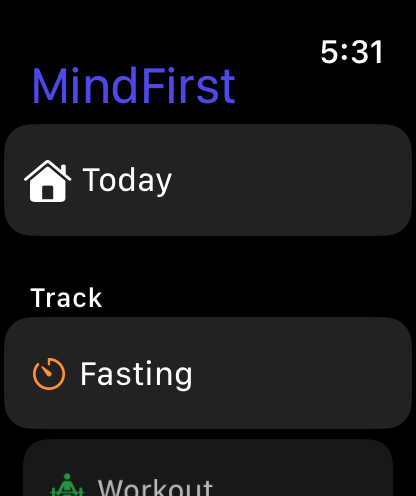
MindFirst on Apple Watch with Today and Fasting shortcuts

Catch it. Name it. Reframe it.

Pick a thought you have had this week. This is the Thought Challenger, the short CBT thought record at the heart of MindFirst.

Pick a thought
  1. Catch the thought

    “I skipped Monday. The whole week is ruined.”

  2. Spot the distortion

    All-or-Nothing Thinking

    Seeing things in black-and-white categories. If your performance falls short of perfect, you see yourself as a total failure.

    Is there a middle ground between “perfect” and “failure”?

  3. Find a balanced thought

    Missing Monday doesn’t cancel the week. A 20-minute session today still counts.

  1. Catch the thought

    “I’m too tired to train.”

  2. Spot the distortion

    Emotional Reasoning

    Assuming that your negative emotions necessarily reflect the way things really are: “I feel it, therefore it must be true.”

    Just because I feel tired, does that mean I actually can’t do anything?

  3. Find a balanced thought

    I can feel tired and still move gently. My energy often picks up once I start.

  1. Catch the thought

    “I already blew my diet today.”

  2. Spot the distortion

    Catastrophizing

    Exaggerating the importance of things, such as your mistakes, or shrinking things, such as your good qualities.

    What would I tell a friend thinking this way?

  3. Find a balanced thought

    One meal is one meal, not the whole day. My next choice is a fresh start.

  1. Catch the thought

    “I always quit after two weeks.”

  2. Spot the distortion

    Overgeneralization

    Seeing a single negative event as a never-ending pattern of defeat.

    What evidence contradicts this thought?

  3. Find a balanced thought

    I’ve stopped before, and I’ve restarted before. Week two is something I can plan for.

In the app you write the thought in your own words. MindFirst suggests a likely distortion from the words you use, and you choose. Six short steps, including naming the feeling and weighing the evidence. A self-help exercise, not therapy.

Mind first. Then the habit. Then the body.

Five tabs, each with its own colour, the same way the app is organised. Change the thought, and the workout tends to follow.

Today

Your whole day, on one screen.

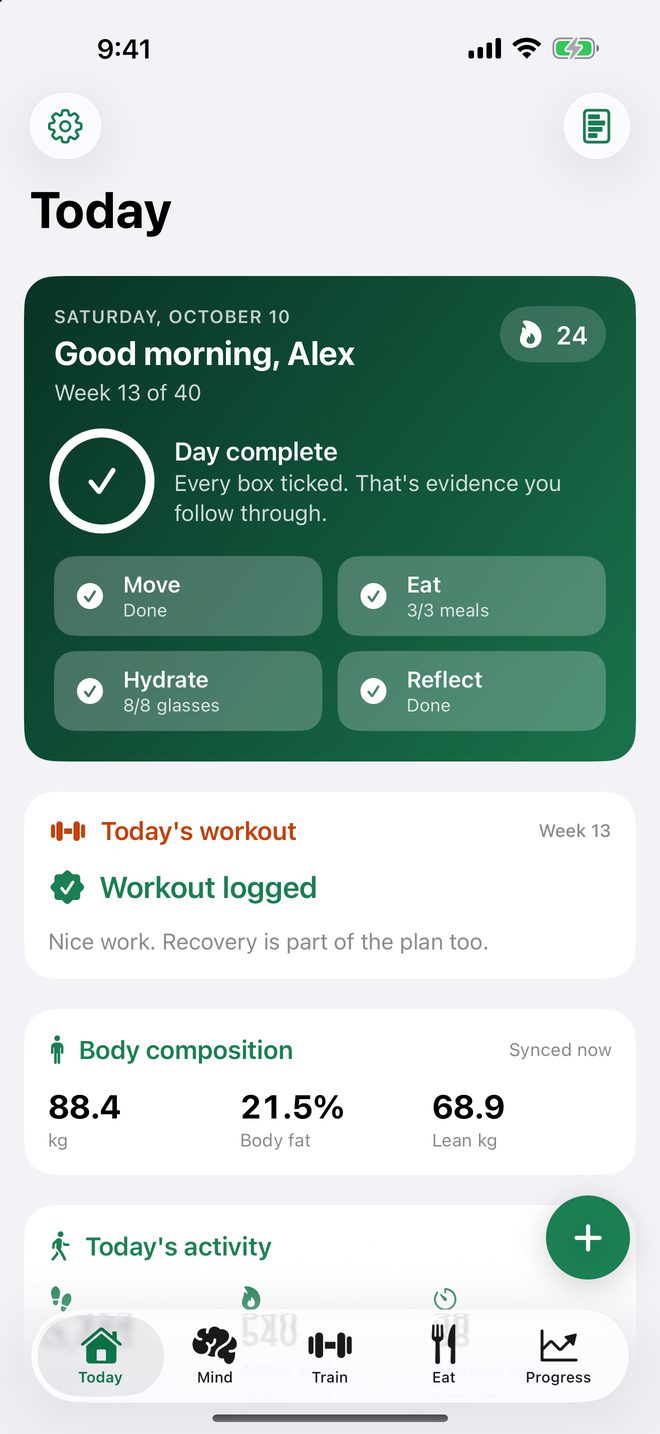
Open the app and the plan is already there: today’s workout, your fast, your streak, and a check-in that takes ten seconds.

  • Move, eat, hydrate, reflect. Four boxes that make a good day concrete.
  • Habit stacking and implementation intentions turn “I’ll try” into “when X, I will Y.”
  • Streaks that count everything, including workouts logged on Apple Watch.
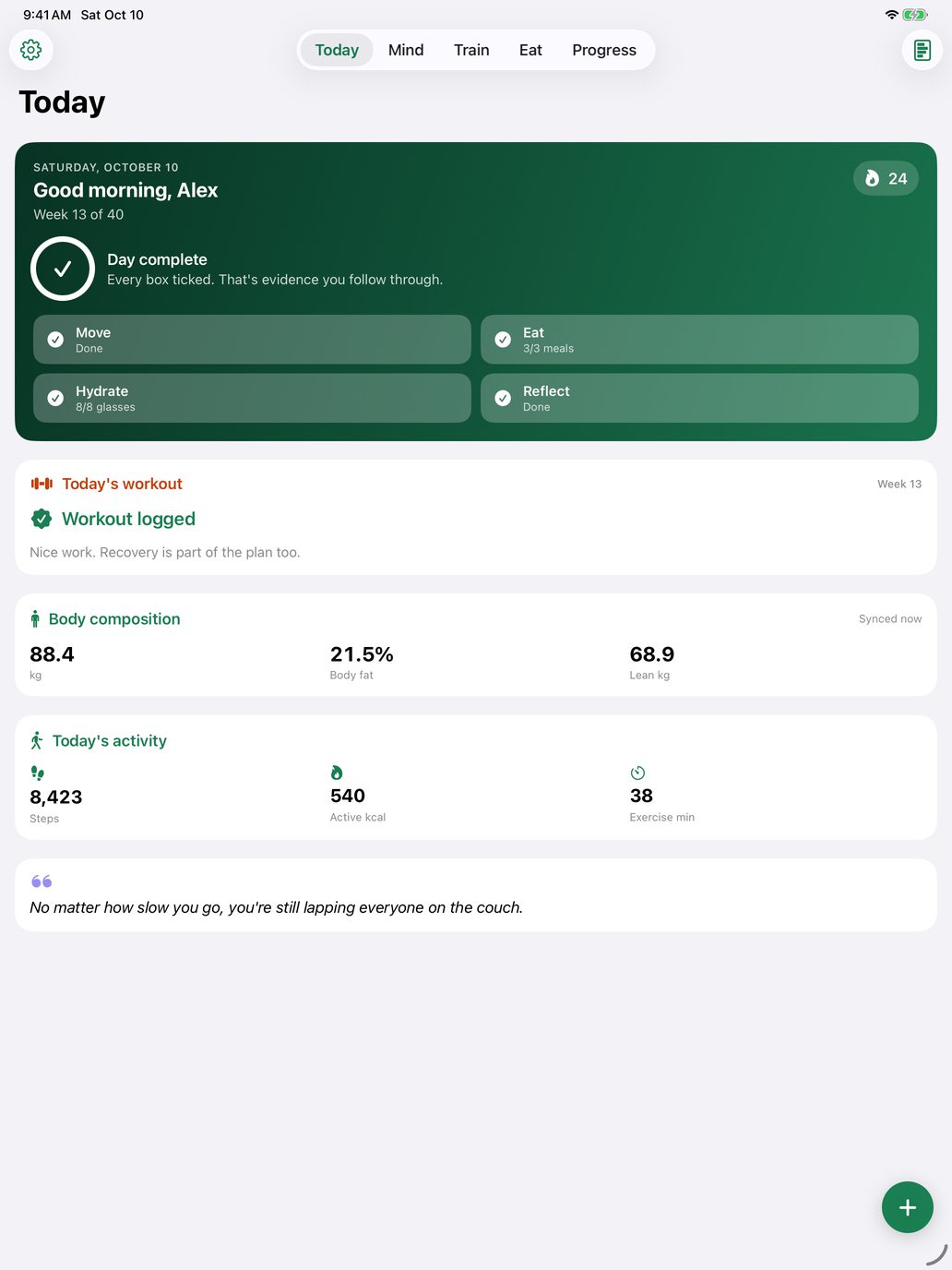
Today dashboard with a 24-day streak, a completed day, the logged workout, and body composition

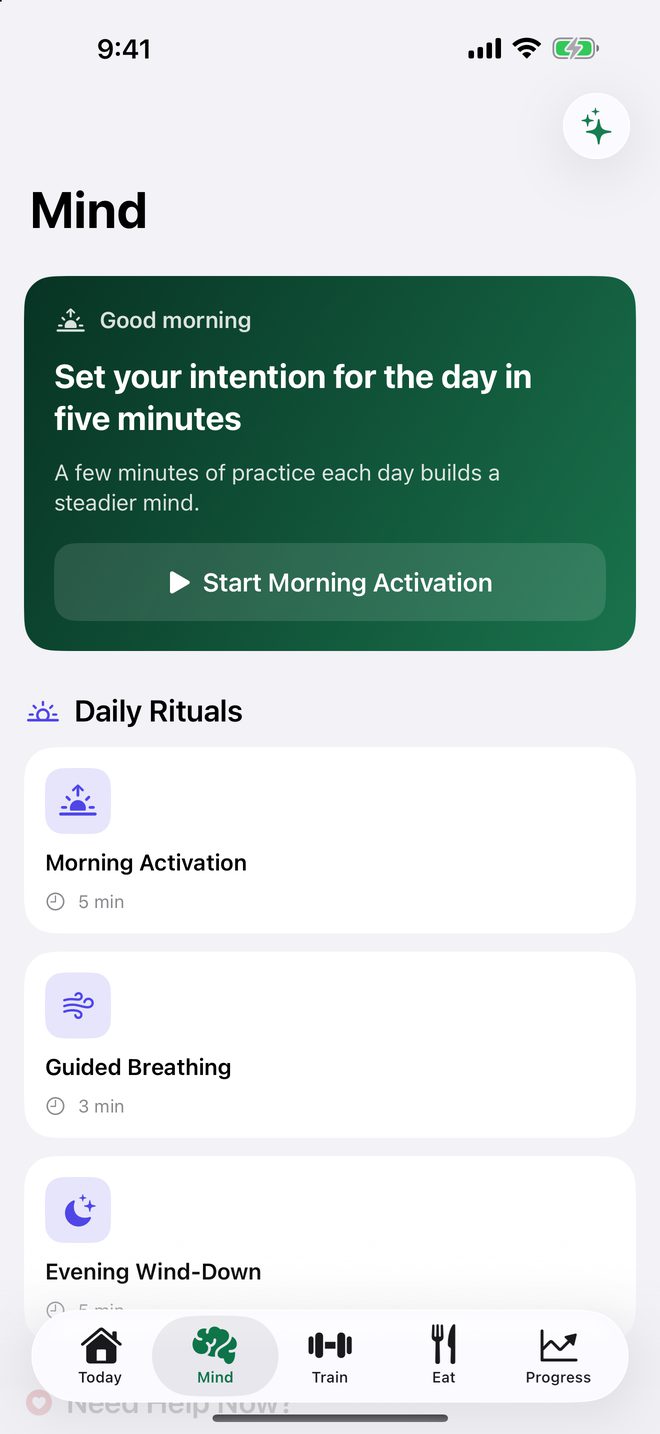
Mind

Reframe the thought that ends streaks.

Daily rituals to open and close the day, rescue tools for the moment you want to quit, and deeper work on who you are becoming.

  • Thought Challenger. Name the distortion and write a response you actually believe.
  • Need help now? Rescue flows for feeling too tired, food cravings, and negative thoughts, plus urge surfing.
  • Rituals and deeper work. Morning activation, guided breathing, values check-ins, and future-self letters.
Mind tab with Daily Rituals, Need Help Now rescue tools, and Deep Transformation exercises

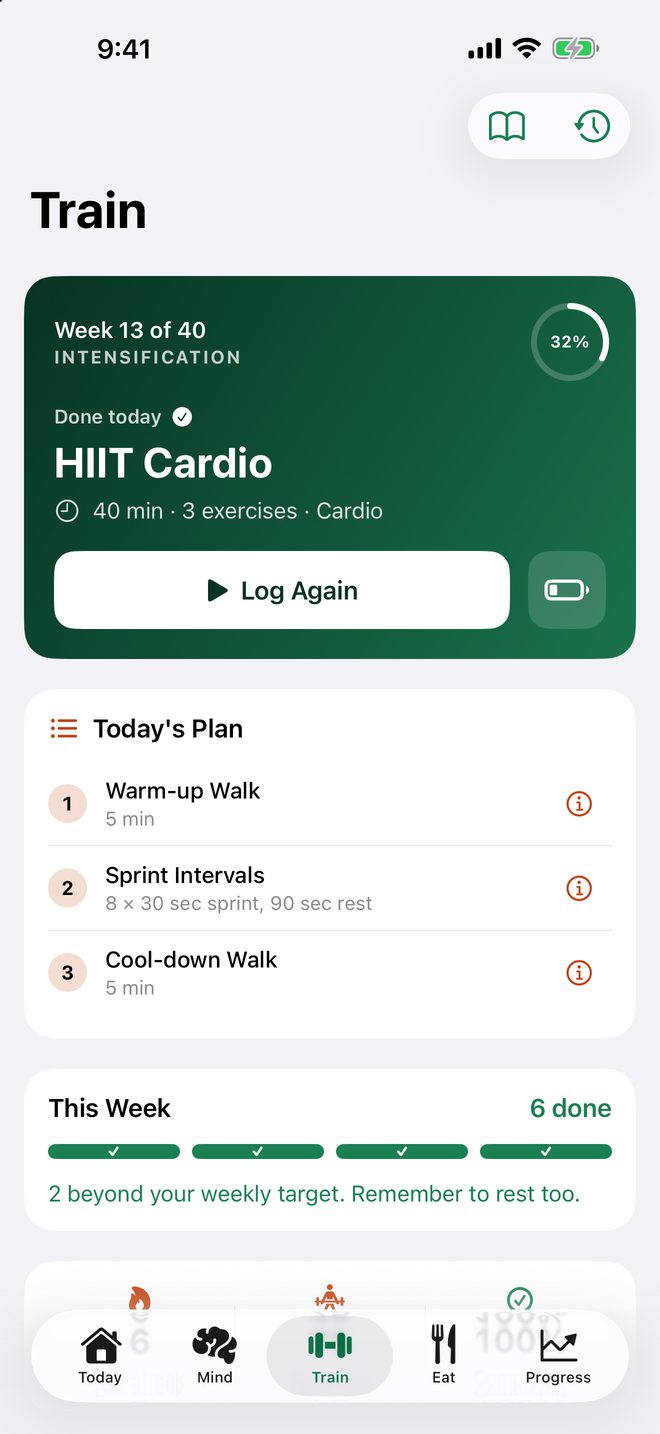
Train

Show up, even on low-energy days.

Today’s session is waiting when you open the tab. On the days your head says no, the Mind tools are one tap away.

  • Workout logger with a built-in exercise library and one-tap repeats.
  • Voice-guided sessions so your eyes can stay off the screen.
  • Apple Health. Save workouts and read activity, only with your permission.
Train tab with today's HIIT Cardio session, a Log Again button, and the plan for the week

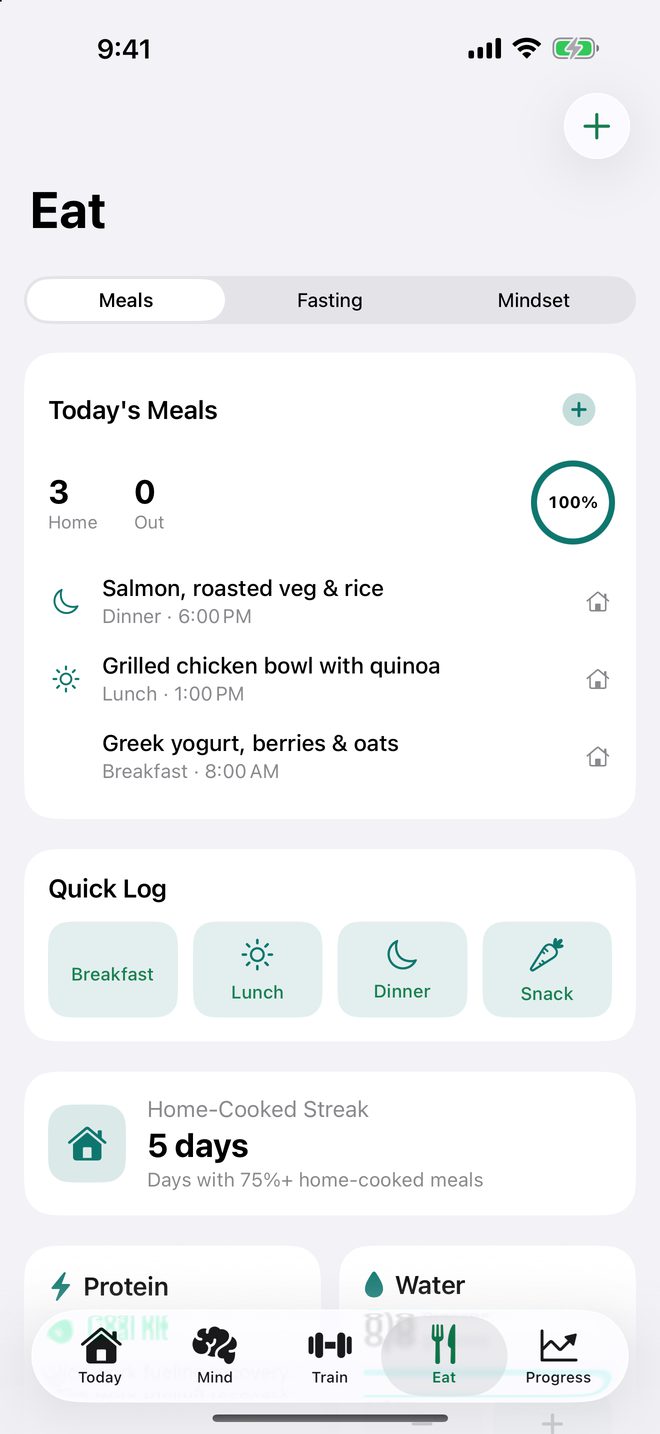
Eat

Fasting and eating, minus the guilt.

Track your fasting window and your meals without turning food into a scoreboard, with support for the emotional side of eating.

  • Intermittent-fasting timer with milestone reminders, even past midnight.
  • Meal logging that keeps it simple: home-cooked or ordered.
  • In-the-moment support for cravings, emotional eating, and mindset.
Eat tab with today's meals, quick log buttons, and a home-cooked streak

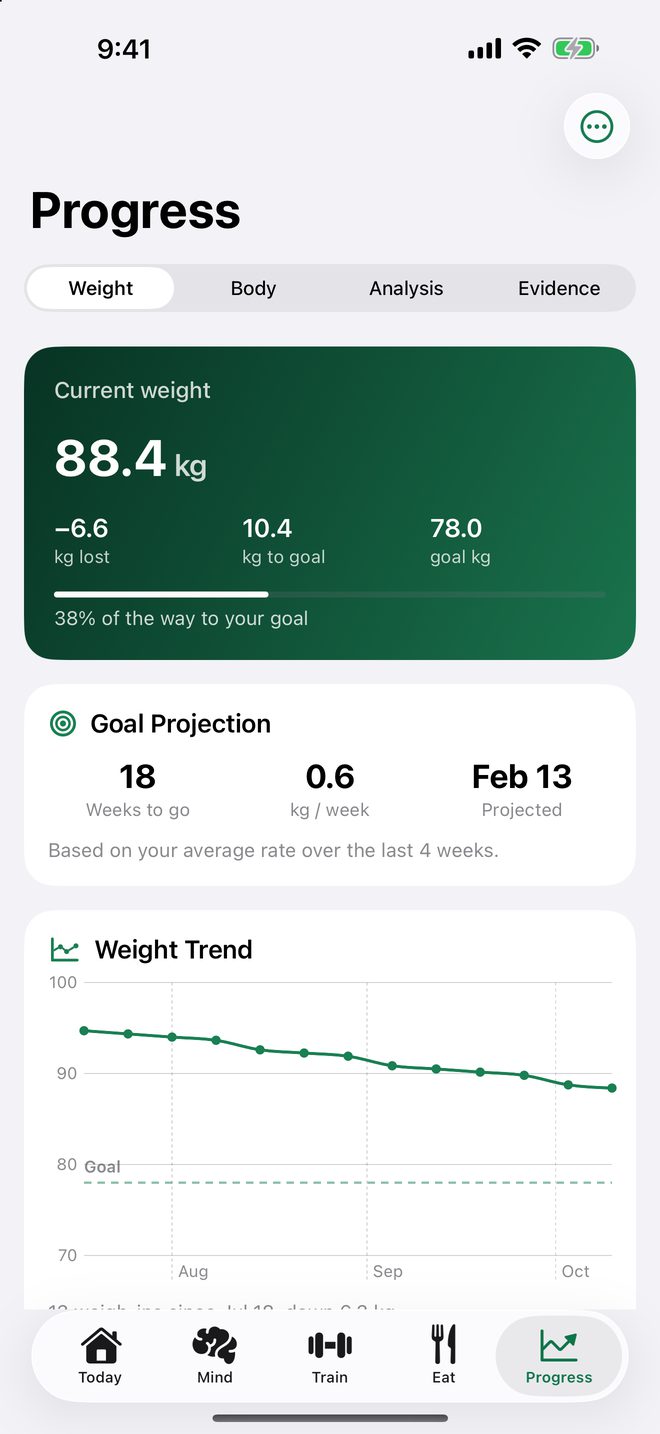
Progress

Proof it’s actually working.

Motivation fades. Evidence doesn’t. MindFirst keeps the record you can lean on during the hard weeks.

  • Weight, measurements, and progress photos, with a goal projection.
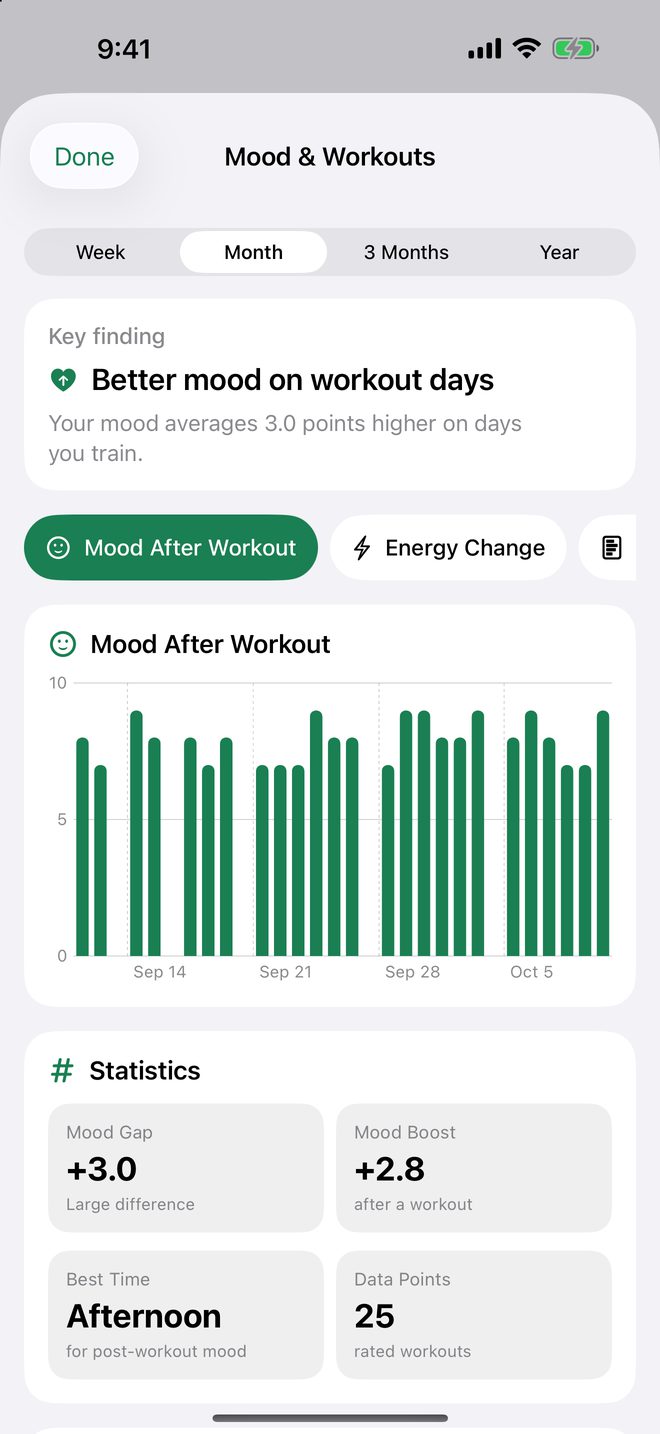
  • Mood and workout correlation, so you can see what actually lifts you.
  • An evidence database of wins to reread on harder days.
Progress tab with current weight, goal projection, and a weight trend chart

Wherever the moment happens.

The thought that derails you rarely waits until you open an app. So MindFirst is on your wrist, your Home Screen, your iPad, and a sentence away in Siri.

Apple Watch

Your reset, on your wrist.

When pulling out your phone would break the moment, the useful parts are already there. Everything lands in your iPhone history.

  • Fasting timer
  • Mood check-ins
  • Breathing with haptics
  • Urge surfing
  • Workouts with heart rate
MindFirst on Apple Watch with Today and Fasting shortcuts

iPad

Room to think.

MindFirst is a universal app. On iPad the same five tabs get the space of a bigger screen.

MindFirst Today dashboard on iPad

Siri and Shortcuts

Say it, done.

  • “Start fasting in MindFirst”
  • “Check in with MindFirst”
  • “Log workout in MindFirst”

Widgets

Glance, don’t open.

Streak and fast on the Home Screen, Lock Screen, and watch face.

Weekly report

See what actually lifts you.

A weekly progress report you can export as a PDF, plus a mood and workout analysis that shows how training days compare.

Mood and Workout Analysis showing a higher mood on workout days

Dark Mode

Easy on the eyes at 10 pm.

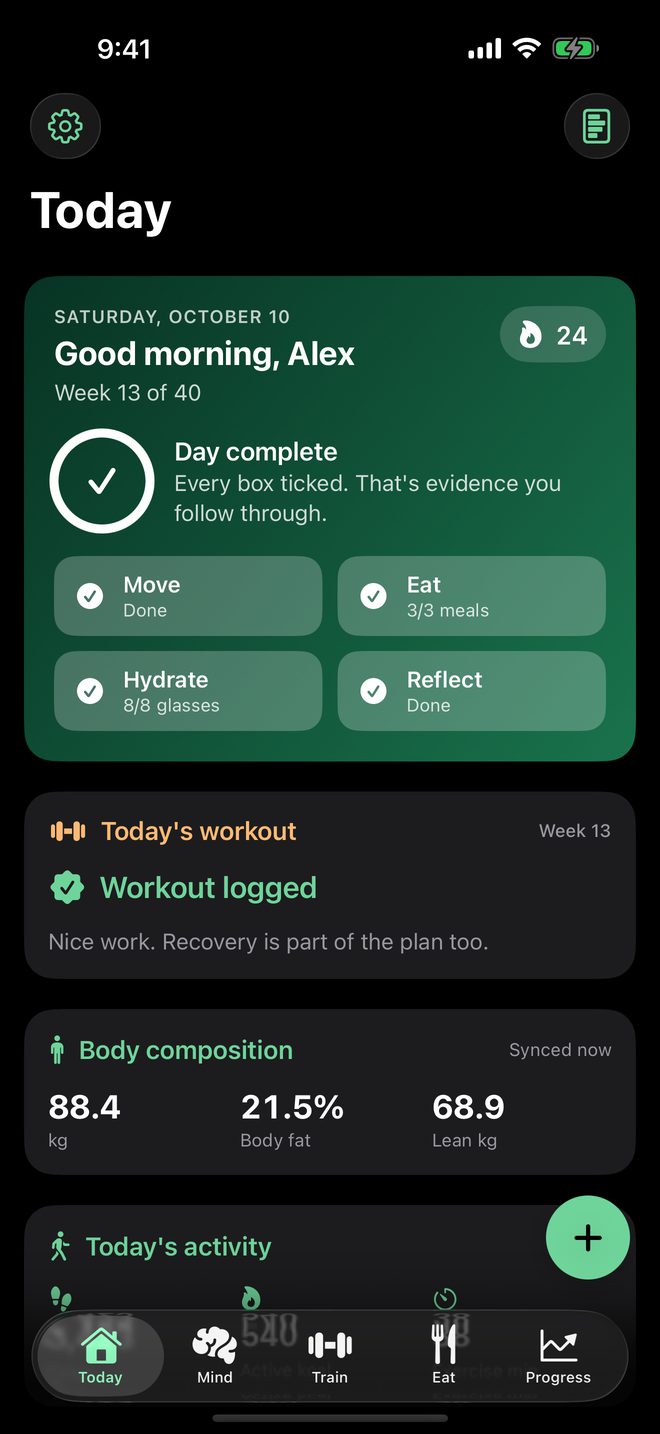
Today dashboard in Dark Mode

Apple Health

Only with your permission.

Reads activity and body metrics and saves your workouts. Never used for ads.

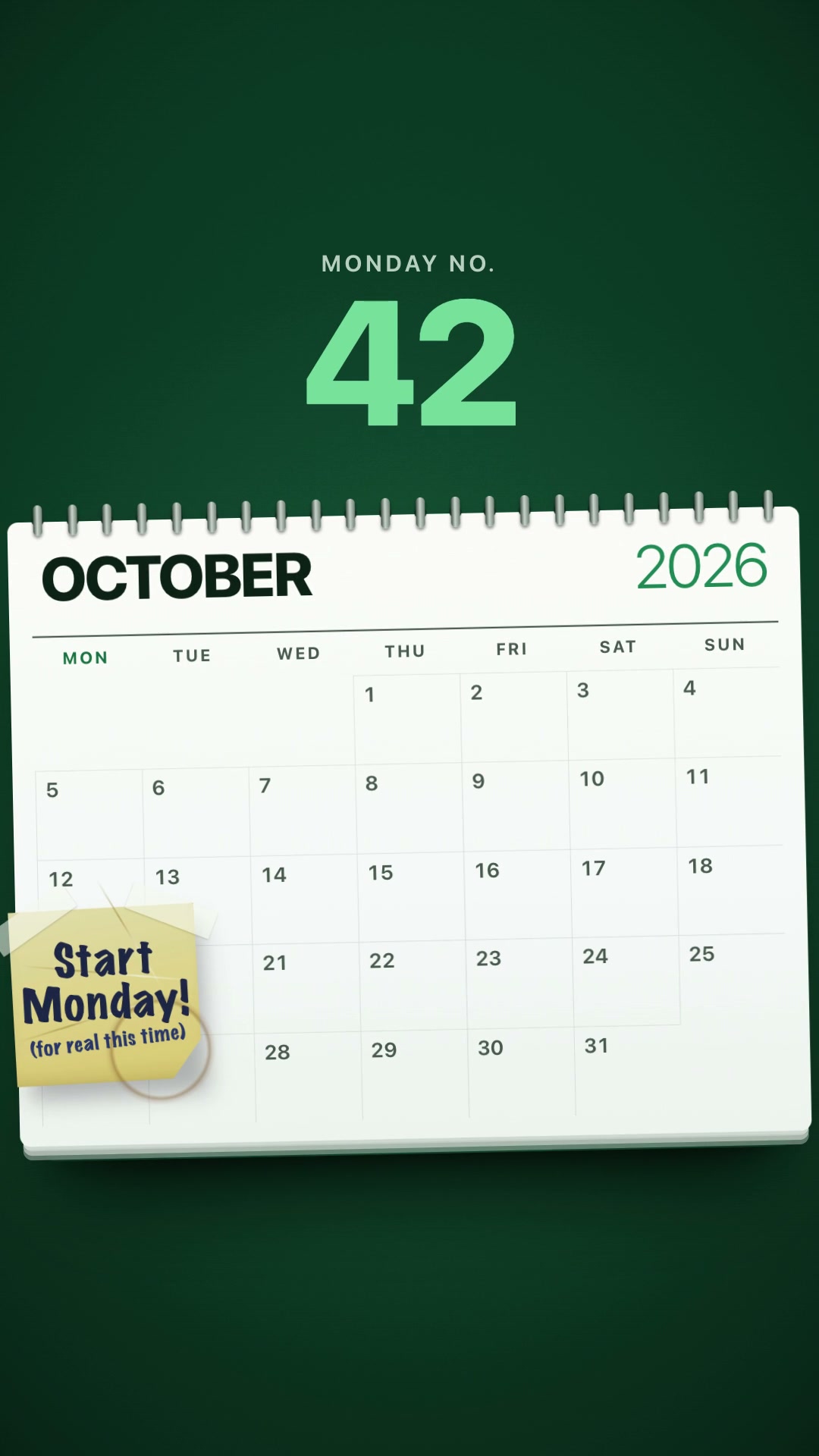
“Starting Monday.”

One sticky note, forty-two Mondays, and the MindFirst tools that finally answer it. 24 seconds, with narration and captions.

App Store privacy label

Data Not Collected.

Meant literally. Your thoughts, meals, workouts, and photos are personal, so they stay on your device.

Read the privacy policy

  • On your device

    Records are stored locally. There is no accounts server and no cloud database.

  • No tracking

    No analytics SDK, no ads, no data brokers. This website loads no third-party scripts either.

  • Sign in with Apple only

    No email and password to create, and nothing for anyone to leak.

  • Yours to keep

    Export your data, delete it in Settings, or revoke Health access any time.

One plan unlocks everything.

Every plan includes the full app on iPhone, iPad, and Apple Watch. Start with the yearly plan and try it free for 7 days.

Monthly

$4.99 / month

Flexible. Cancel any time.

7-day free trial

Yearly

$29.99 / year

About $2.50 a month. Best value for building a habit that lasts.

Lifetime

$79.99 once

Pay once. No subscription.

  • All CBT tools
  • Workouts and fasting
  • Apple Watch app
  • Widgets and Siri Shortcuts
  • Weekly reports

Prices shown in USD. Your local price appears in the App Store before you buy and may vary by region. The free trial applies to the yearly plan. Payment is charged to your Apple ID; subscriptions renew automatically unless auto-renew is turned off at least 24 hours before the end of the current period. Manage or cancel any time in your Apple ID settings. See the Terms of Service.

Questions, answered.

Is MindFirst therapy?

No. MindFirst is a self-help and wellness app. Its CBT-style exercises are self-guided techniques, not medical care, diagnosis, treatment, or therapy. If you are struggling, please talk to a qualified professional.

Is there a free trial?

Yes. The yearly plan starts with a 7-day free trial. If you cancel before the trial ends, you are not charged. Full access to the app requires MindFirst Premium (monthly, yearly, or lifetime).

Where is my data stored?

On your device. MindFirst has no accounts server, no analytics SDK, and no ads, and its App Store privacy label is Data Not Collected. Your records stay on your device unless you choose to export or share them.

Do I need an Apple Watch?

No. Everything works on iPhone alone. With an Apple Watch you can also run your fasting timer, log quick mood, energy, and motivation check-ins, do guided breathing, and log workouts from your wrist.

Does MindFirst work with Apple Health?

Yes, with your permission. MindFirst can read metrics such as active energy, exercise minutes, steps, heart rate, and weight, and can save workouts to Apple Health. Health data is used only for features you enable and never for advertising.

Does it work offline?

Yes. Core features work offline because your records are stored locally on your device.

How do I cancel a subscription?

Subscriptions are managed by Apple. Open Settings on your iPhone, tap your name, then Subscriptions, and choose MindFirst. Turn off auto-renew at least 24 hours before the current period ends.

Which devices are supported?

iPhone and iPad with iOS or iPadOS 17 or later, and Apple Watch with watchOS 10 or later. Home Screen and Lock Screen widgets, Apple Watch complications, and Siri Shortcuts are included.
More help on the support page

Unhelpful thought: “I’ll start on Monday.”

Start with the mind.

MindFirst for iPhone, iPad, and Apple Watch. Build the habit around the moment that usually breaks it.

MindFirst is a self-help and wellness app. Its CBT-style exercises are self-guided and are not a substitute for professional care, diagnosis, or treatment. Talk to a qualified professional before making medical, nutrition, fasting, or exercise decisions. In crisis? Contact your local emergency number or find a helpline at findahelpline.com.